
✨Why Fonts Matter in PixelLab & PicsArt Editing (The Hidden Secret of Professional Designers)
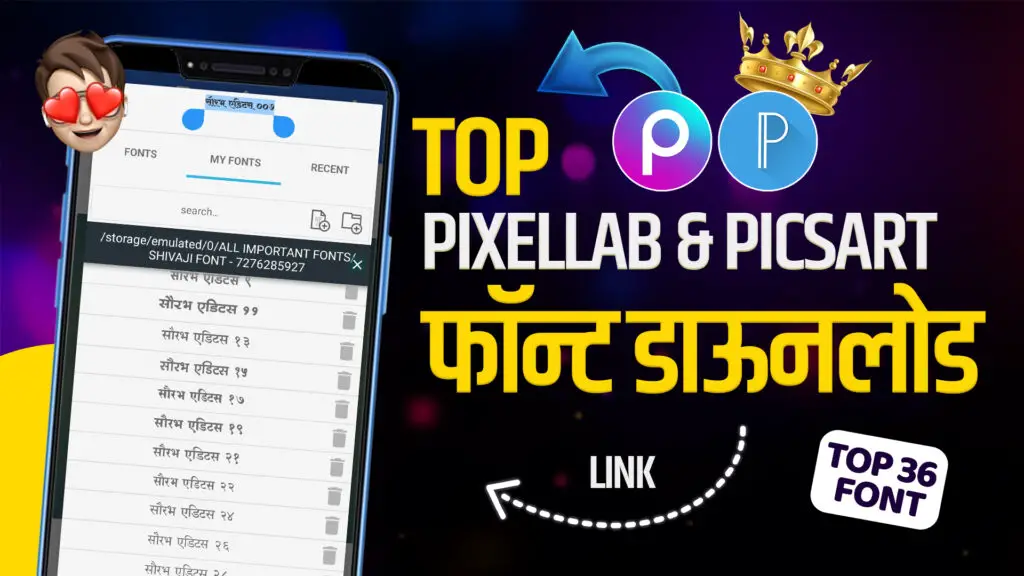
If you’re searching for PixelLab Fonts Download 2025, you’re in the right place! In this post, we’ve shared the top 36 PicsArt and PixelLab fonts for mobile photo editing and thumbnail designing.
In the world of mobile editing and banner design, the power of fonts is often underestimated ✍️💥. Whether you’re creating a cinematic reel poster, festival banner, or business logo, fonts define the personality of your design. A bold, stylish font can make your poster look premium, while a dull one can ruin the whole look 😅. That’s why, in 2025, every creator, editor, and designer is searching for the Top PixelLab & PicsArt Fonts to level up their editing game.
With tools like PixelLab and PicsArt, creators can now easily add custom fonts to make their text more impactful. These apps support .ttf and .otf font formats, which allow smooth rendering and crisp display even in high-quality designs 📱🎨. But here’s the real magic — instead of searching all over the internet, you can now download a collection of 36 premium fonts in just one click! 🪄⚡
These fonts include everything from stylish Marathi, Hindi, and English typographies to cinematic and festival-style lettering. Whether you’re making a YouTube thumbnail, Instagram reel banner, or business post, these fonts give your text the exact cinematic glow you see in professional designs 🌟. Using the right font helps attract attention, build trust, and increase engagement — three key things that every content creator dreams of 💯🔥.
👉 Main Points:
🎯 Fonts define your design’s identity.
📱 PixelLab & PicsArt fully support custom fonts.
💥 Premium font packs help make posters look professional.
⚡ One-click font downloads save hours of searching time!
🧠How to Download and Add Custom Fonts in PixelLab & PicsArt (Step-by-Step Guide)
So, you’ve got your font pack — now what? Let’s dive into how you can install and use these top fonts in PixelLab and PicsArt like a pro 🔥🎬.
1️⃣ Download the Font Pack – Get the “Top 36 PixelLab & PicsArt Fonts.zip” file from the link provided (make sure it’s from a trusted source) 📦📲.
2️⃣ Extract the Fonts – Use any file manager or app like ZArchiver to unzip the folder. Inside, you’ll find .ttf and .otf files — these are your fonts 📂✨.
3️⃣ Move Fonts to PixelLab Folder – Open your file manager and move all the font files to this directory:
👉 Internal Storage > PixelLab > Fonts
4️⃣ Open PixelLab App – Go to Text > My Fonts > Import Font, and select the font you just added. Instantly, you’ll see your text change style! 😍
5️⃣ For PicsArt Users – Go to Text Tool > My Fonts > Upload Font and import the same .ttf files. Boom! Your text just got a premium look 🎨⚡.
Adding fonts this way helps you create unique, eye-catching typography that instantly sets your content apart. And here’s the best part — once you’ve imported them, they’ll stay saved in your app permanently. You can reuse them anytime without redownloading 🔄📱.
When you combine these fonts with cinematic effects, light leaks, and color grading, your posters will look no less than professional movie edits! 🎥💫 These PixelLab Fonts Download 2025 are perfect for YouTube thumbnails. This is why most YouTube editors, festival banner makers, and ad creators depend on custom font packs — because they give their designs a truly branded, signature look 💎.
👉 Main Points:
🧩 Easy 5-step installation process for fonts.
⚙️ Supports both .ttf & .otf formats.
💡 Fonts stay permanently once added.
🔥 Instantly upgrades the style of your designs!

——————————–••••••——————————-
🚀Top 36 Fonts That Will Make Your 2025 Designs Go Viral (With Editing Tips)
Now let’s get into the heart of this blog 💥 — the top trending fonts that are ruling 2025’s PixelLab and PicsArt editing scene! These 36 fonts are carefully selected based on their use in reel thumbnails, cinematic banners, social media ads, and festival posts 🎬📱. Each font adds a different emotion and style to your design — from bold and modern to classic and elegant.
Here’s what you’ll find in the pack:
🔹 Shivaji Font – Best for Marathi titles & traditional posters 🇮🇳
🔹 Sanskrit Style Font – Perfect for religious & spiritual designs 🕉️
🔹 Cinematic Bold Font – Ideal for movie-style thumbnails 🎥
🔹 Modern Sans Font – Clean and professional for business banners 💼
🔹 Festive Glow Font – Best for Diwali, Holi, or New Year banners 🎆
🔹 Signature Script Font – Great for personal branding and watermarking ✍️
Each font in this collection is optimized for mobile apps — so they won’t lag, break, or distort while typing. That means your design process will stay smooth even if you’re working on high-resolution projects 📸💡. And if you combine these fonts with the right background gradient, lighting, and effects, your banner can easily go viral on social media platforms like Instagram, YouTube, and Facebook! 🔥📈
These fonts not only enhance visuals but also improve readability, which is very important for Google and YouTube algorithms. The cleaner your text, the higher your chances of better engagement and visibility 🚀.
👉 Main Points:
💥 Includes 36 professional, trending fonts.
🎨 Perfect for thumbnails, posters, and ads.
📱 Fully optimized for mobile editing apps.
🌟 Boosts design quality and social media reach.
💡Professional Tricks to Use Fonts Like a Pro (Secret Editing Tips Revealed!)
A good font alone doesn’t make your edit look professional — it’s how you use it that makes all the difference 🎯.
Professional designers always follow three golden rules while using fonts in PixelLab and PicsArt: Contrast, Alignment, and Shadow Control 🧠✨.
First, never use too many fonts in one design — two are enough (one for headings and one for subtitles). This keeps your poster clean and easy to read.
Second, maintain proper alignment — center or justified text always looks premium, especially for YouTube thumbnails and event posters 📐💬.
Third, use soft shadows or glows instead of dark outlines — this gives your text a cinematic 3D effect 🎥💫.
Bonus tip: Always choose font colors that contrast with your background. If your background is dark, use white or golden text; if it’s light, go for bold black or deep red. This trick makes your words “pop” instantly! 💥
👉 Main Points:
🎨 Use max two fonts per design.
📏 Keep perfect alignment and spacing.
🌟 Add subtle shadow or glow effects.
⚡ Choose contrasting font colors.
📲Best Mobile Setup for Editing Fonts Smoothly (No Lag Tips for Editors)
Many creators face lag or slow rendering while editing heavy fonts on mobile 😅. But with the right setup, you can make your phone editing super-smooth and professional!
✅ Use Lightweight Apps: Always keep the latest version of PixelLab, PicsArt, or Snapseed, and clear cache regularly for better performance ⚙️📱.
✅ Store Fonts in Organized Folders: Create a dedicated “Font Pack” folder in internal storage — this helps apps detect fonts faster.
✅ Avoid Too Many Fonts Installed: Too many fonts slow down your editor. Keep only your top 50 fonts active and store the rest in backup 📦.
✅ Use Layer Control Smartly: Reduce text layers or merge layers after editing to prevent lag and app crashes 💾💡.
This setup will not only save time but also help you edit longer, high-quality banners without any slowdown. Perfect for mobile editors who work daily on social media content creation 🚀📸.
👉 Main Points:
⚙️ Optimize phone storage for editing.
📦 Keep only active fonts in use.
📱 Regularly update editing apps.
💥 Smooth performance = faster editing!
👇TODAYS DESIGN👇




🏆 Why Font Selection Can Boost Your Social Media Growth (Real Impact!)
Believe it or not, font style directly affects viewer engagement — especially on YouTube thumbnails, Instagram posts, and reels covers 📊💥.
A unique and bold font makes people stop scrolling and notice your content. That’s why top creators use eye-catching, high-contrast typography to pull attention instantly 😎.
Using premium fonts gives your posts a professional identity — people start recognizing your content by its style alone! For example, if you always use the same signature font on your reels, it becomes your personal brand — like your watermark ✍️💫.
Moreover, search engines and social media platforms favor clean, readable text. So if your banner text is easy to read even on small screens, it increases click-through rate (CTR), engagement, and reach organically 📈📲.
👉 Main Points:
💎 Fonts help build your brand identity.
📈 Readable text boosts engagement.
🎯 Consistent font style = strong recognition.
⚡ Premium fonts increase your social media growth!
——————————–••••••——————————-
💻Step-by-Step Guide: How to Download & Install PixelLab and PicsArt Fonts (Without Any Error!)
Many creators face issues while adding custom fonts in PixelLab or PicsArt 😓. But don’t worry bhai — here’s the exact step-by-step guide to make it super easy 🧠👇
1️⃣ Download Font ZIP File: Click on the provided link and download the font pack directly to your phone storage 📥📁.
2️⃣ Extract the Fonts: Use any file manager or ZArchiver app to extract the .ttf files (that’s your font format!) 🗂️✨.
3️⃣ Add to PixelLab: Open PixelLab → Go to My Fonts → Tap the “+” icon → Choose your downloaded font folder → Done ✅.
4️⃣ Add to PicsArt: For PicsArt, open Text → My Fonts → Import → Select .ttf file → You’re ready to edit 🎨📲.
💥 Boom! Now your stylish fonts are available directly inside both apps. You can use them for YouTube thumbnails, posters, logos, reels covers, and more!
👉 Main Points:
📥 Download and extract fonts safely.
🧩 Add fonts in “My Fonts” section.
🎬 Use them for creative thumbnails & reels.
⚙️ No error or missing font issue guaranteed!
🎯Top 5 Font Styles Every Designer Must Try in 2025
Fonts trend just like fashion — every year, some styles go viral 😍.
Here are the Top 5 Most Popular Font Styles for 2025 that are making every design look premium:
⭐ 1. Bold Sans Fonts: Perfect for YouTube banners and big thumbnails — clean and attention-grabbing!
⭐ 2. Handwritten Script Fonts: Great for signatures, logos, and personal branding 💫.
⭐ 3. 3D Metallic Fonts: Give a royal cinematic touch — awesome for event posters 👑.
⭐ 4. Minimal Serif Fonts: Simple, classy, and professional — best for brand ads 📰.
⭐ 5. Modern Marathi & Hindi Fonts: Trending for local content creators who design reels or devotional posts 🇮🇳✨.
These fonts not only make your design look fresh but also help your content stand out in Google Images and Pinterest results 📈📸.
👉 Main Points:
🔥 Try 2025 trending fonts for modern look.
💎 Mix local + English fonts for creative combo.
🎥 Perfect for thumbnails, reels, and posters.
🚀 Helps boost visual engagement!
🧑🤝🧑🌍 TELEGRAM 🧑🤝🧑🌍

⛔ So guys, you will get all the editing apps, our updates, and banner materials like PLP, PNG, PSD, and much more on our Telegram channel. So make sure to join it! ⛔
——————————–••••••——————————-
🔴 HD QUALITY MATERIAL 🔴
📌 TOP 36FONT File 📌
👇 OUR NEXT POST 👇
How to Make Stunning Diwali Offer Banners Using Pixellab & PicsArt – Free PLP File Inside!